

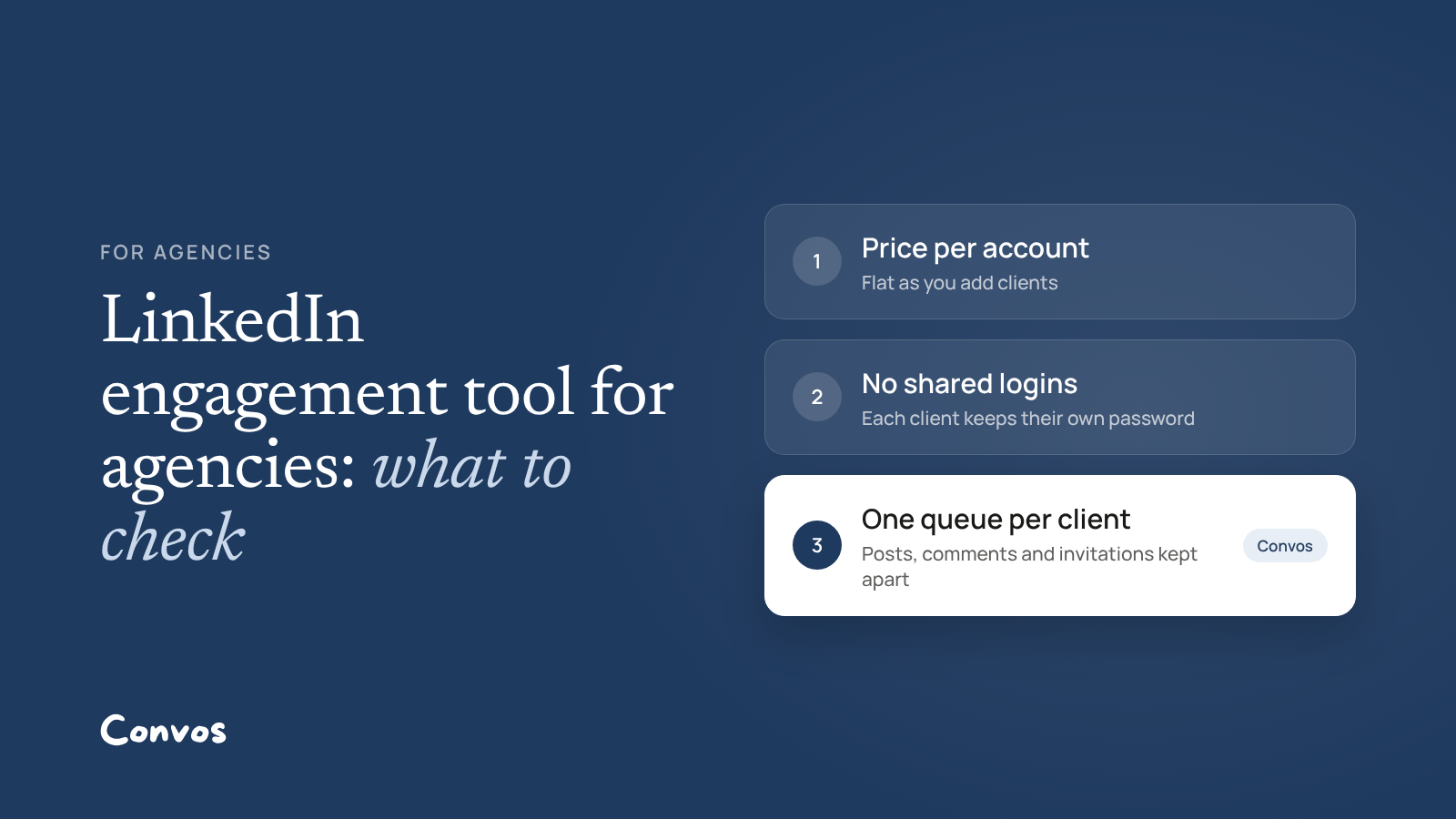
In short: the right LinkedIn engagement tool for agencies does three things: it charges a clear price per client account, it never asks for a client’s password, and it keeps a separate queue of posts, comments and invitations for each account. Prices below were checked in October 2026. The tool should also leave every word to a human, because LinkedIn does not allow comments posted by software on someone’s behalf.
Key takeaways
- Judge a LinkedIn engagement tool for agencies on cost per account per year, not on the headline plan price.
- Shared logins are the most common reason an account gets flagged, according to MagicPost, so credential-free access is non-negotiable.
- One queue per client keeps each voice, network and priority list apart, and lets a team see at a glance which client is behind.
- Since 2026, LinkedIn removes automated comments from “Most relevant” and can restrict repeat offenders, which makes AI comment features a real risk for client accounts.
Why agencies need a different LinkedIn engagement tool
A freelancer manages one profile. An agency manages ten founders, each with their own network, tone and calendar. Most LinkedIn tools were designed for the first case and stretched to fit the second.
Engagement is also where the client relationship is won or lost. Replying to comments is associated with about 30% more engagement, across 72,000 posts from around 25,000 accounts (Buffer, December 2025), although Buffer notes the link is not proven to be causal. Posts with 20 or more comments drive around 88 profile views, against about 2 for posts without much discussion (ContentIn, May 2026, vendor data). That work happens on the client’s account, every day, which is exactly where agency tools tend to cut corners.
The three criteria that matter for an agency
1. Pricing per account that stays flat as you grow
Agencies do not buy one seat; they buy one seat per client. A plan that looks cheap for three accounts can jump to custom pricing at six. Work out the price per account per month, multiply by 12, then add five clients and run the numbers again. If the cost per account rises, or the plan stops at a fixed number of profiles, budgeting gets harder each time you sign someone.
2. No shared logins, ever
LinkedIn’s User Agreement asks members not to share their account or let anyone else use it (sections 2.2 and 8.2, summarised by MagicPost). Ghostwriting is allowed; logging in as the client is not. A tool that needs the client’s password, a proxy or a cloned browser profile puts the account at risk. Look for tools where the client connects their own account, or where actions are sent from the account owner’s own browser.
3. A separate queue for each client
Mixing clients in one feed is how a founder ends up commenting on a post meant for someone else’s network. Each account needs its own list of priority people, its own new posts to read, its own comments received and its own pending invitations. The team should be able to switch accounts in one click and see which client still has work waiting.
LinkedIn engagement tools for agencies compared
| Tool | What it does for engagement | Agency setup | Price (October 2026) |
|---|---|---|---|
| Supergrow | “Engage” with AI comments, plus writing and scheduling | Client workspaces, credential-free onboarding | Teams $199 per month for 5 accounts ($189 billed yearly); Enterprise custom |
| Taplio | AI comment credits, plus writing, scheduling and lead features | Priced per subscription | Growth $69 (500 AI comment credits), Pro $199 (unlimited) |
| AuthoredUp | No engagement queue: formatting and analytics, no AI | Business plan per profile | $14.95 per profile per month |
| Convos | Queue of posts, comments and invitations, no AI writing | One workspace, one queue per account | €19 per account per month, €15 billed yearly, excl. VAT |
Supergrow figures come from its pricing page and agency page, checked on 16 October 2026. Taplio and AuthoredUp prices come from Taplio’s alternatives page and MagicPost’s comparison. Prices change often, so check the vendor’s page before you sign.
Supergrow: built for agencies, AI in the comments
Supergrow is the most agency-ready of the writing platforms. It offers client workspaces, approval workflows and onboarding through a secure link, and it says it is “trusted by 120+ agencies”. The Teams plan works out at about $39.80 per account per month, almost exactly the single-account price, and beyond five accounts you move to Enterprise. Its Engage feature suggests AI comments, which deserve a careful human edit. We cover it in more depth in our Supergrow alternatives guide.
Taplio: all-in-one, priced per subscription
Taplio covers writing, carousels, scheduling and prospecting. Engagement runs on AI comment credits: 500 on Growth, unlimited on Pro. We found no public agency price, so ten clients on Growth means roughly ten subscriptions. It suits agencies that want one platform for everything and are comfortable reviewing every generated comment.
AuthoredUp: the content companion
AuthoredUp does not handle engagement at all, and says so. It improves how posts read and offers detailed analytics, with a Business plan at $14.95 per profile, the lowest per-account price in this table. Many agencies pair it with a separate engagement tool.
What an agency engagement tool must never do
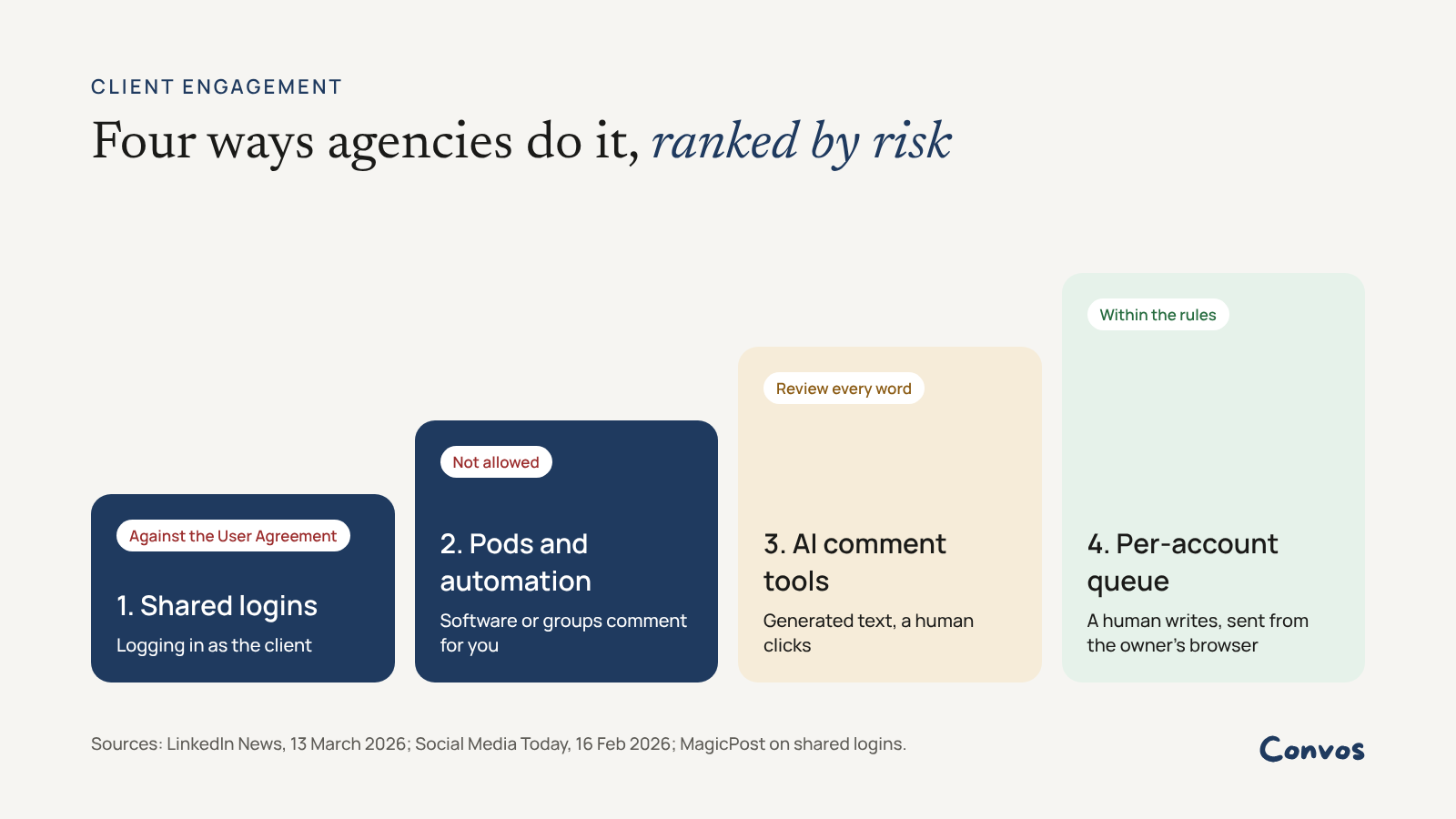
LinkedIn has been explicit. In March 2026 it wrote that comments posted “using a browser extension, script, or third party tool” are not allowed, and that engagement pods “erode trust and are not allowed on LinkedIn” (LinkedIn News, 13 March 2026). A month earlier, it said automated comments, posted “without any human oversight or review”, are removed from “Most relevant”, may be limited to the commenter’s direct connections, and repeat offenders get restricted (Social Media Today, 16 February 2026).
Pods are no shortcut either. In MagicPost’s study of 687,000 posts, early pod comments added 31% views at one hour but ended with 6% less final reach (MagicPost, 2026). For an agency, a restricted client account costs far more than any subscription.
So ask every vendor three questions before signing:
- Does it need my client’s password? If yes, walk away.
- Does it post anything without a human click? If yes, it is automation in LinkedIn’s sense.
- Does it write the comments? Your clients pay for their voice. Our guide to choosing a LinkedIn comment tool without AI explains the alternatives.
A per-account queue, written by people
This is the model we built Convos around. Each morning, for every client account, it lines up new posts from that client’s priority people, comments received on their own posts and pending invitations, in a separate queue. Someone on the team or the founder writes every word, and each action is sent from the account owner’s own browser at a human pace, so no password changes hands. The Agency plan costs €19 per account per month (€15 billed yearly, excl. VAT), with all accounts in one workspace, accounts added or removed at any time and billed pro rata, and one invoice (pricing).
How to choose in 15 minutes
- List the jobs. Writing, scheduling, analytics and engagement are separate jobs. Few tools do all four well.
- Count active profiles, not signed clients. One client can mean two founders to look after.
- Price the year. Multiply the per-account price by your profiles and by 12, then add five more clients.
- Check access. No passwords, no proxies, no cloned browser profiles.
- Read one week of comments. If they could have been written by anyone, the tool is costing your clients credibility.
For a wider view of the market by job, see our guide to the best LinkedIn engagement tools in 2026. And if engagement is your agency’s bottleneck, our plans all start with a 14-day trial, no card needed.